NUPIAO Reporter |
NUPIAO Editor | NUPIAO
People who rushed to preorder the iPhone Duo, or are still wondering whether to buy one, probably share the same question: how well do apps actually work on it?
On October 21, just before the iPhone Duo officially goes on sale, Apple showed off app adaptation progress for eight apps at once: Taobao, Amap, Xiaohongshu, Xmind, Feishu, WPS, Tencent Video and NBA Showdown. They cover shopping, navigation, content communities, office work, video and gaming.
First, apps that show content on the home screen now generally let users adjust information density with gestures. Taobao’s product feed, for example, can switch between two and four columns.
Second, most of these apps now use split-screen mode to show two related pages at the same time, cutting down on paging, switching and content getting covered up.
Amap, for instance, splits route info and store lists in its Street Scan ranking, plus car-model pricing and trip routes in ride planning. Taobao puts product images on one side and details on the other, and separates chat windows from conversation lists. Xiaohongshu shows images alongside comments, and when posting, lets you pick photos on the left while writing copy on the right. The thinking is similar across all of them.
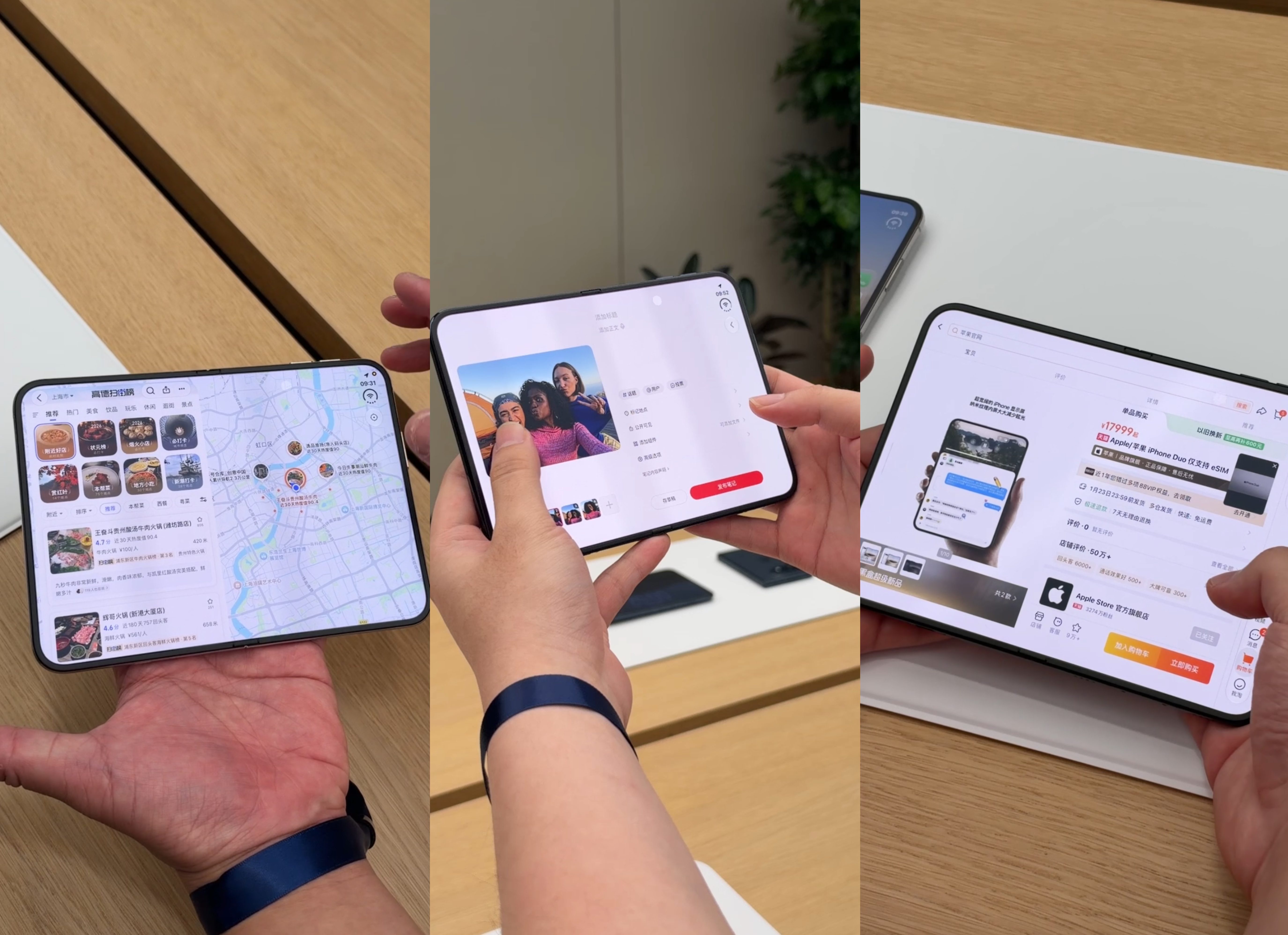
Amap is also testing a dual-view navigation feature that shows lane-level guidance on the left and a wider route view on the right. The team says it’s planned for a later version, and timing will depend on release notes.
For office and productivity apps, making better use of split-screen matters just as much.
Feishu focused on chat, docs and meetings. In group chats, users can watch a video file in one pane and reply in the other, or drag material from apps like Photos into the chat window to send. In meetings, opening Feishu Minutes puts meeting video and related info on the left, with notes and chapters on the right.
Xmind demoed dual instances: open Xmind twice, use one as reference material and the other for a new mind map. WPS works in a similar way, letting two documents sit side by side, with one side usable as a dedicated AI content-generation page.
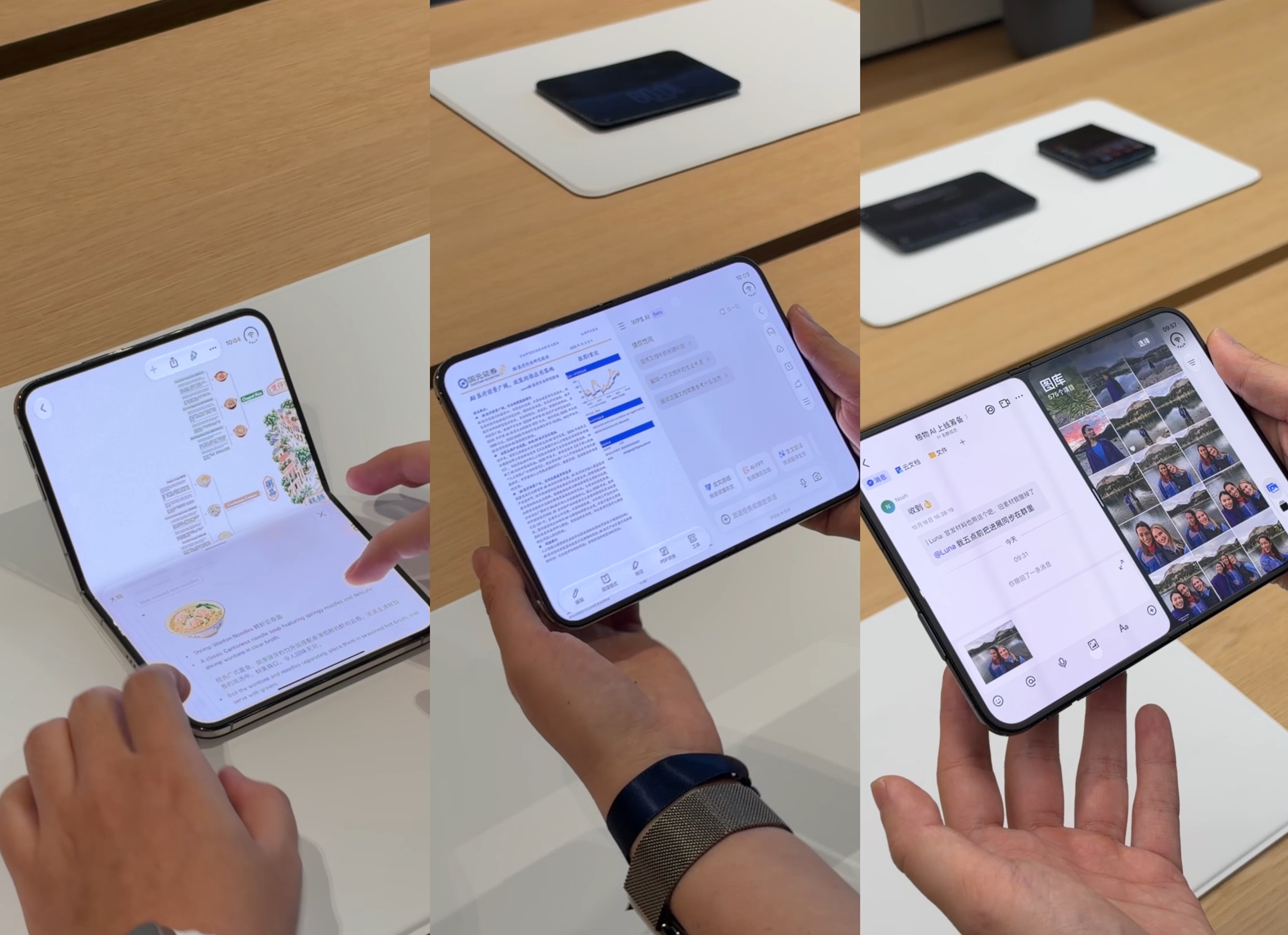
Video and entertainment apps such as Tencent Video and NBA Showdown mainly show off top-and-bottom split-screen use in hover mode, which feels quite different from a regular slab phone. The top half can play a show while the bottom half handles progress, screenshots and danmaku input; games can lay out gameplay and touch controls the same way.
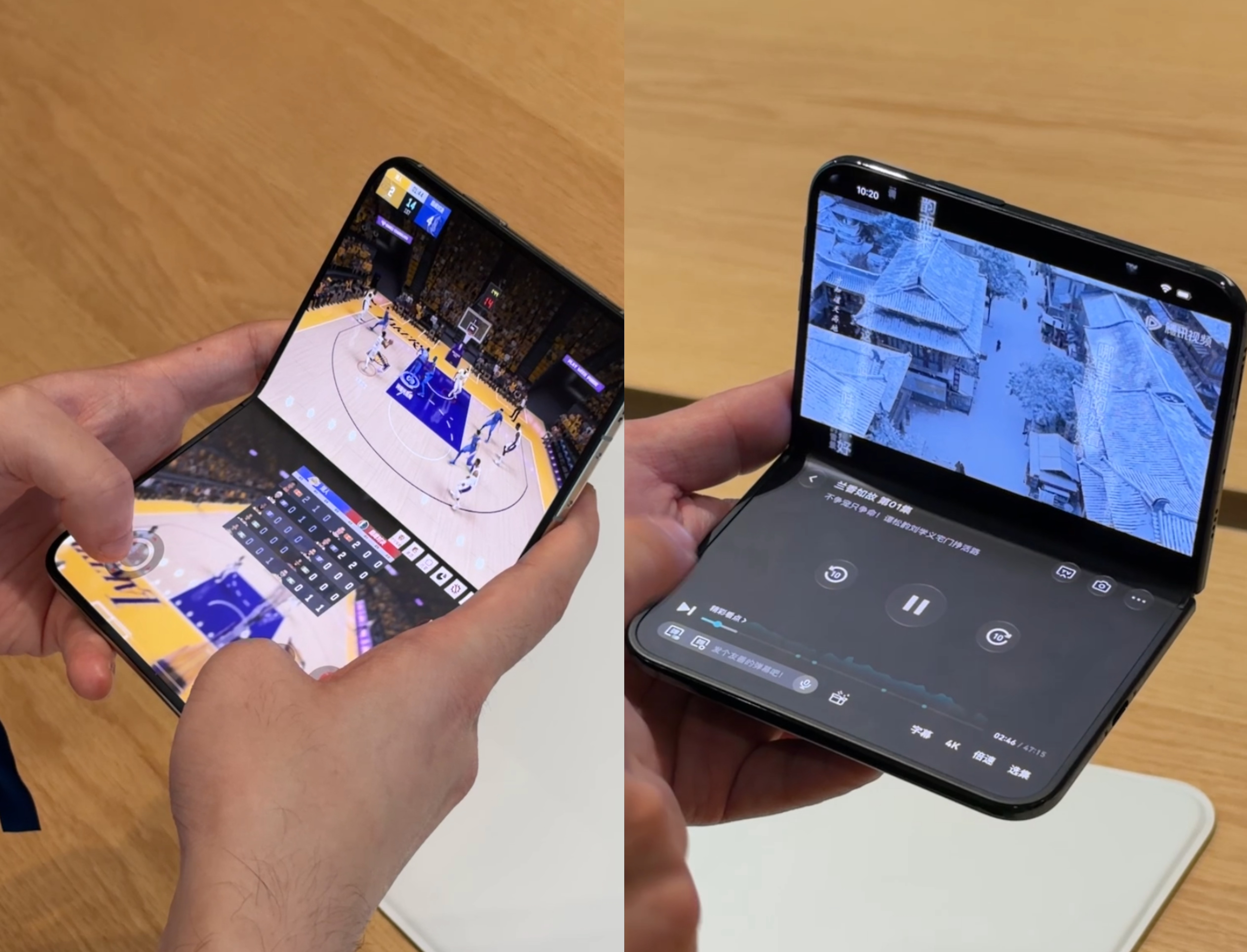
For foldable-phone app adaptation, simply making the screen bigger and reworking the aspect ratio won’t automatically beat a slab phone. Developers need to redesign information layout, split-screen collaboration and interaction for foldables if they want to lift how often, how long and how willingly people use these devices.
That, fundamentally, decides whether foldable phones can move from niche to mainstream.
Foldables are still a small market—Omdia data puts their penetration at about 1.4% in 2025—so how much time and manpower app makers need to adapt one app is a key reference point.
Three developers on site confirmed to NUPIAO that their teams began iPhone Duo adaptation projects around August.
From what the developers said, much of the iPhone Duo adaptation didn’t start from scratch; past Apple software development experience can often be reused. Many apps leaned on iPadOS design guidelines and display logic, and Xmind even brought some of its Mac side-by-side workflow to the iPhone Duo.
As a latecomer, the iPhone Duo is also expected to do something different from Android foldable makers. But judging by the features shown so far, that goal isn’t obvious yet.
A WPS mobile product manager told NUPIAO that the features themselves aren’t dramatically different; the main differences are in interaction and layout.
From that angle, the iPhone Duo’s foldable experience still needs to be judged alongside Apple’s full iOS ecosystem and hardware performance versus the Android camp. App adaptation alone isn’t enough to create a clear gap. Apple’s usual advantage remains: adapted apps tend to be more polished in the details, with more consistent UI design language and layout rules.
That also hints at one regret behind Apple waiting years before launching the iPhone Duo: many eye-opening, experience-changing features are no longer opportunities for Apple to define first. Maybe that’s something to look forward to over the iPhone Duo’s next few years of iteration.
Apple’s developer team is also speeding up app adaptation. According to NUPIAO, since the iPhone Duo launch, the team has held 50 developer talks in 20 countries to get more apps to support related SDKs and features.